Members

Household Ledger
budget and accounts, local on your machine
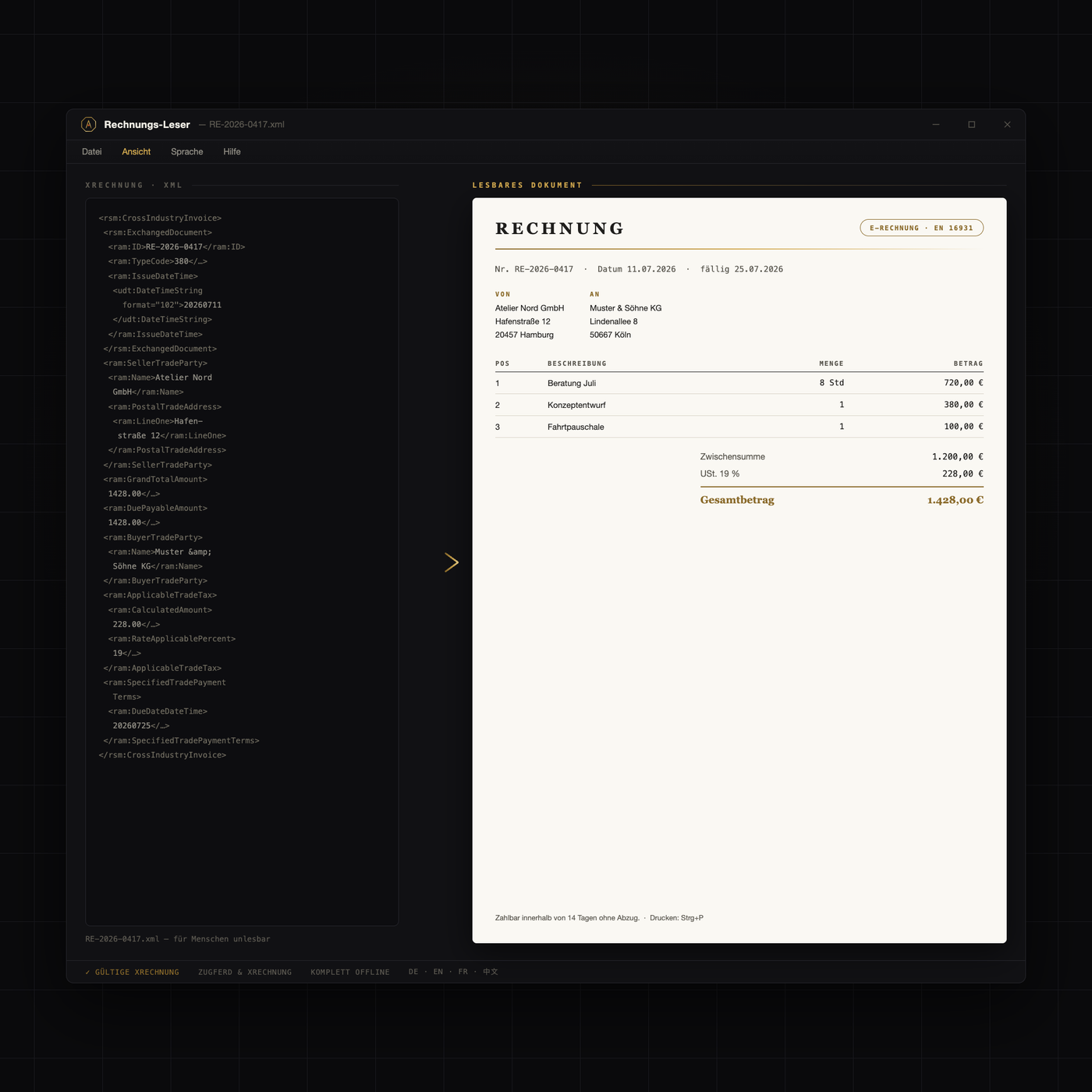
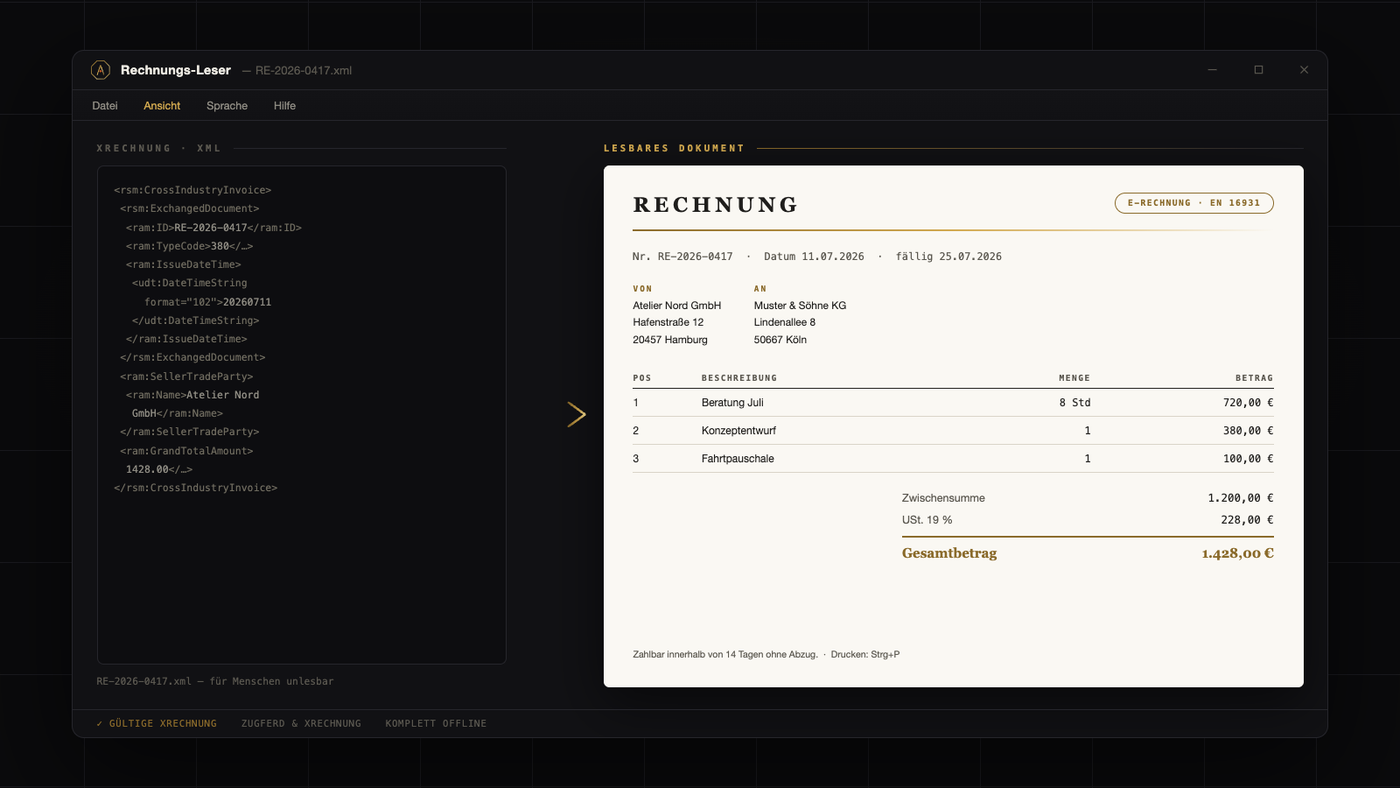
Ihr Lieferant schickt keine PDF mehr, sondern eine rechnung.xml — lesbar macht sie das Gesetz nicht.
This tool is free. Create an account — no payment details — and download right away.
Beide Formate, ein Doppelklick.
Positionen, Steuern, Zahlungsziel — sauber formatiert.
Ihre Rechnungen bleiben auf Ihrem Rechner.
| Version | 1.5.1 |
|---|---|
| Platform | Windows 10/11 (64-Bit) |
| Languages | Deutsch, English, Français, 中文 |
| License & origin | Quba-Viewer (Apache-2.0) |
| Price | Free — registration is all it takes |
Germany is phasing in mandatory electronic invoicing for domestic business-to-business transactions. Companies operating in Germany must already be able to receive structured e-invoices; the obligation to issue them is arriving step by step, with transition periods. If you freelance or run a company here, this concerns you regardless of size. The crucial point for anyone new to the German system: an E-Rechnung (e-invoice) in the legal sense is not a PDF. It is a structured data file meant to be read by software, not by people. That is why a file called rechnung.xml increasingly lands in inboxes where a neatly formatted PDF used to be. The law requires machine-readable data — it does not make that data readable for humans.
Most German e-invoices come in one of two formats, both built on the same European standard for electronic invoicing:
In short: with ZUGFeRD there is at least something to look at; with XRechnung there is not. In both cases the structured content is authoritative.
The most common reaction is the wrong one: ignoring the file and asking the supplier for a "proper invoice". The XML file is the proper invoice. It must be checked, paid, and kept on record like any other. Three things not to do:
Also worth knowing: the unchanged XML file itself is the original for your records; a printout is merely a working copy. What is missing is not a new accounting system but simply a viewer — just as a PDF needs a PDF reader, an e-invoice needs an e-invoice reader.
The Rechnungs-Leser by AURIFEXA does exactly that: double-click the XML file and the data set becomes a readable, printable document — sender, line items, taxes, and payment information right where you expect them. You check the invoice on screen, print it for your files, or archive it as usual. The tool is made for everyone who receives German e-invoices without wanting to introduce full accounting software: small businesses, freelancers, international teams, landlords, clubs. It is free to use after registration.
Note: This information does not constitute legal advice.
That file is a German e-invoice (E-Rechnung): structured XML meant for software, so a browser or editor only shows raw tags. You need a viewer. The Rechnungs-Leser by AURIFEXA turns the file into a readable, printable document with sender, line items, taxes, and payment details in one double-click, and it is free to use after registration.
Both are German e-invoice formats based on the same European standard. XRechnung is pure XML with no visual layer at all — you cannot read it without a viewer. ZUGFeRD is a hybrid: a normal-looking PDF with the structured XML embedded inside. In both cases the machine-readable data part, not the visual presentation, is what legally counts.
Germany is phasing in mandatory e-invoicing for domestic business-to-business transactions. Companies must already be able to receive structured e-invoices, while the obligation to issue them is rolled out gradually with transition periods. If you run a business or freelance in Germany, expect more suppliers to send XML files instead of PDFs — and treat those files as real invoices.
Yes. Under the German rules, the structured data file itself is the invoice; no PDF or paper version is required. Payment deadlines apply as usual, and the unchanged XML file is what belongs in your records. A printout or an on-screen view, for example from an e-invoice viewer, is simply a working copy for everyday use.
Yes — the tool is free to use after registration. It opens German e-invoices such as XRechnung files with a double-click and displays sender, line items, taxes, and payment information as a readable, printable document. It is designed for freelancers, small businesses, and international teams that receive German e-invoices but do not want to set up full accounting software.
