Members

Household Ledger
budget and accounts, local on your machine
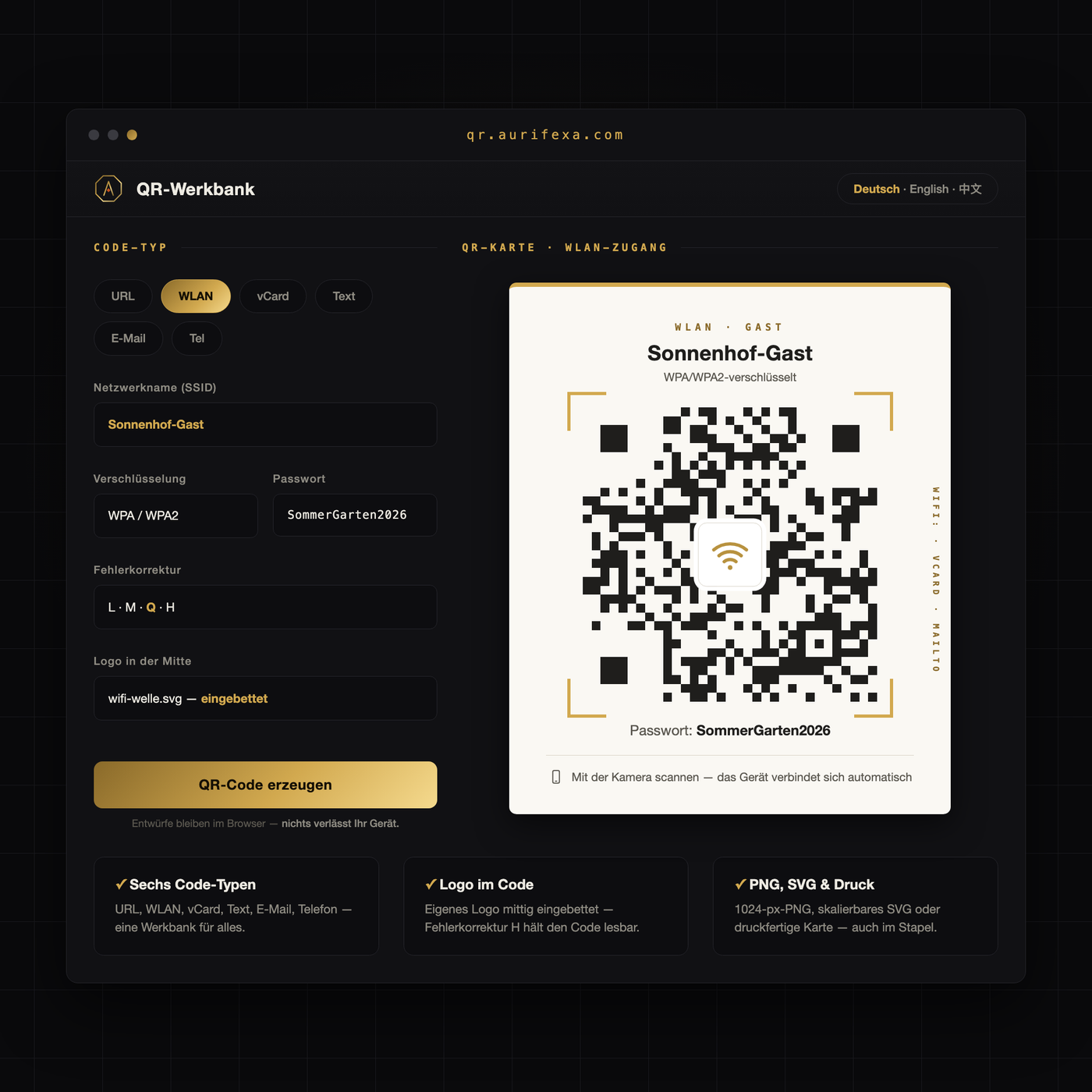
"What is your Wi-Fi password?" — for the twelfth time today. And nobody ever types the phone number off the counter sign.
The QR Workbench turns Wi-Fi, business cards and web addresses into scan-ready codes — clean, large, printable.
An AURIFEXA original — designed and built in our own studio.
This tool is free. Create an account — no payment details — and download right away.
| Platform | Browser |
|---|---|
| Price | Free — registration is all it takes |
A QR code is just a carrier; what matters is the payload. The main code types have clearly separated jobs:
PNG is a raster format: a fixed grid of pixels. On screens and in small printouts it is perfectly fine. Enlarge it, though — table display to poster, flyer to shop-window film — and the edges soften. A QR code lives and dies by those edges: blur them and scanning becomes unreliable.
SVG is a vector format: the code is stored as geometry, not pixels, so it scales to any size with perfectly crisp edges — business card, A4 notice, trade-fair wall. German print shops (Druckereien) ask for vector files for exactly this reason: they print at any resolution without surprises. The practical split: PNG for screens and quick office prints, SVG for anything larger or anything going to a professional printer.
QR codes carry built-in redundancy called error correction. It keeps a code readable even when part of it is scratched, dirty, or covered. There are four standard levels — from L (roughly seven percent of the surface may fail) through M and Q up to H (roughly thirty percent). The trade-off: higher levels make the pattern denser, because redundancy needs space.
In practice: codes that hang outdoors, get touched, or wear a logo in the center benefit from a higher level. A cleanly printed code behind glass gets away with less — and stays coarser and easier to scan.
The proven sizing rule: edge length equals scanning distance divided by ten. A code scanned from one meter should measure at least ten centimeters; for table displays scanned up close, about two by two centimeters is the practical minimum. Just as important is the quiet zone — a white margin around the code, free of text, patterns, and color, so scanners can separate the code from its surroundings.
Placement is sober craft: a flat surface rather than a strong curve, a matte finish rather than reflective film, eye level rather than floor level. And before anything goes up, test with several different phones — your own device is not a sample.
The QR-Werkbank handles the production side: it turns WLAN access, a business card, a web address, an email address, a phone number, or free text into scan-ready codes — clean, large, print-ready. The PNG download is free; SVG is available as a vector format for print shops and large formats. The tool is available after registration — and from now on, the WiFi question gets answered by a table display.
In Germany, WiFi is called WLAN — you will see that term everywhere. A WLAN QR code encodes your network name and password; guests scan it with their phone camera and connect instantly, with no typing. In the QR-Werkbank, choose the WLAN type, enter your network details, and download a print-ready code — PNG is free, SVG is available for print.
Rule of thumb: the code's edge length should be about one tenth of the scanning distance. Scanned from one meter, it should measure at least ten centimeters; for table displays scanned up close, two by two centimeters is a practical minimum. Always keep a white quiet zone around the code so scanners can separate it from the background.
PNG is a raster format with a fixed number of pixels; enlarge it and the edges blur, which can make a QR code unreliable to scan. SVG is a vector format that describes the code geometrically, so it scales to any size — business card to shop window — with perfectly sharp edges. That is why print shops prefer vector files for anything beyond small formats.
Yes, within limits. QR codes carry built-in error correction at four levels; depending on the level, roughly seven to thirty percent of the surface can be scratched, covered, or dirty and the code still scans. Higher levels make the pattern denser, though. For outdoor placement or codes with a logo in the middle, choose a higher correction level.
A vCard code stores contact details — name, company, phone, email — in a format smartphones read natively. One scan saves the complete contact to the other person's address book with no typos and no manual entry. It belongs on business cards, reception counters, and event materials. In the QR-Werkbank, vCard is one of six available code types.
