Members

Household Ledger
budget and accounts, local on your machine
The label sheet fed in crooked — row two is scrap again. And last week's half-used sheet goes in the bin.
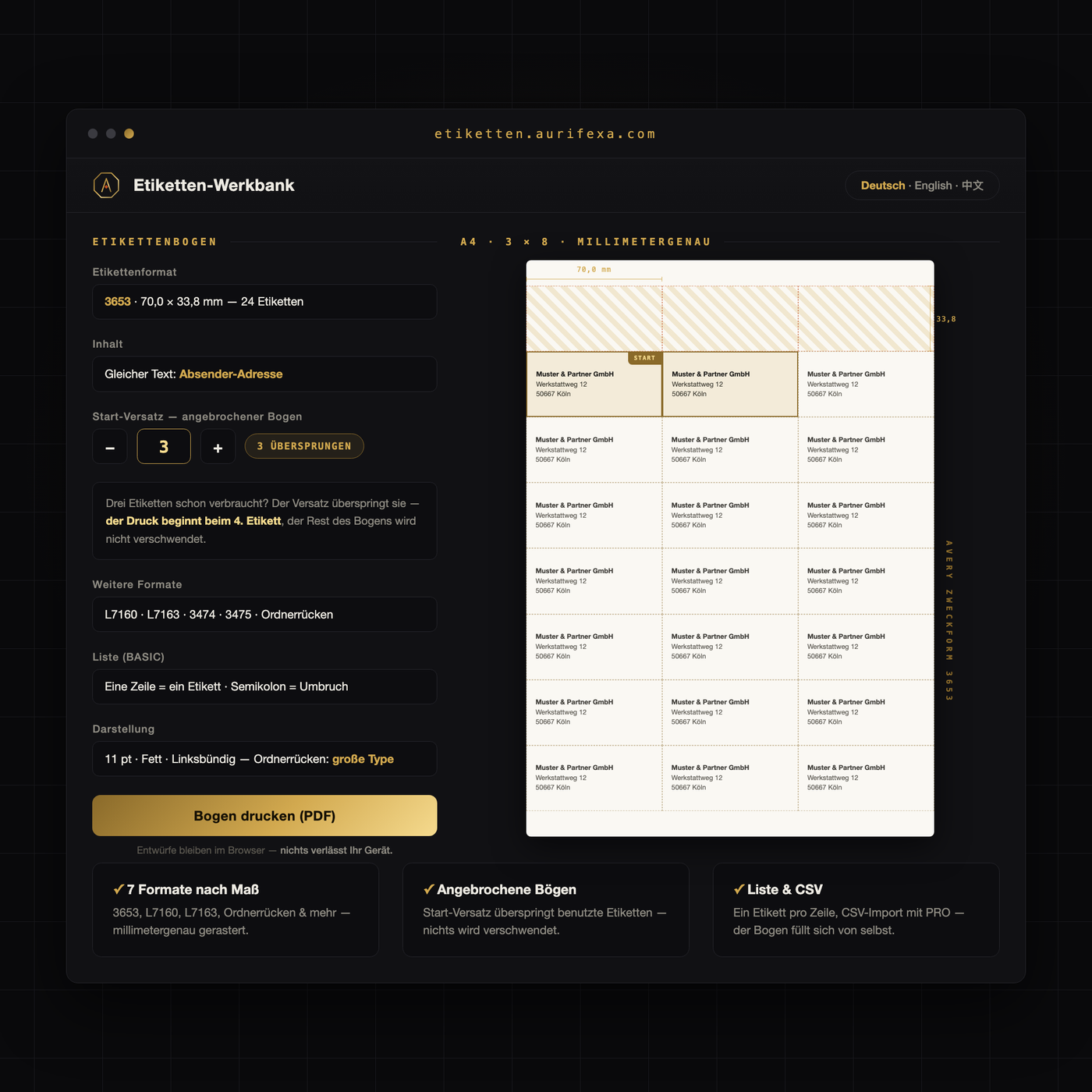
The Label Workbench prints standard sheets to the millimetre — and skips labels you have already used.
An AURIFEXA original — designed and built in our own studio.
This tool is free. Create an account — no payment details — and download right away.
| Platform | Browser |
|---|---|
| Price | Free — registration is all it takes |
Walk into any German office-supply shop and the label sheets on the shelf are A4 sheets from Avery Zweckform or Herma — the two brands that fill the shelves here, much as Avery does in the US or UK. Their sheets follow a precisely defined grid: fixed margins, fixed gaps, fixed label sizes. That precision is also the trap. If your template’s margins or row heights miss the grid by even a millimetre, the offset compounds row by row until the last labels are unusable.
Two pitfalls catch newcomers to Germany in particular:
Etiketten-Werkbank (“label workbench”) addresses this directly: it works with seven common standard sheet formats, including widespread universal layouts such as 70 × 36 mm, and places every label’s content precisely on the grid of the sheet you select. There is no need to rebuild templates in a word processor.
The single most important setting lives in your print dialog. Set scaling to actual size (100 %) — never “fit to page” or any automatic shrinking. These options look harmless but compress the whole page proportionally, which breaks the label grid without any visible warning on screen.
A quick test run saves sheets:
Feed label sheets one at a time, and if your printer offers a media-type setting, choose “labels” or “heavy paper”. This reduces slippage during paper feed — the second major cause of drifting alignment.
The half-used sheet is the quiet cost of label printing. If you only need four address labels, the classic workflow still consumes a whole sheet, because hitting the remaining positions accurately later is nearly impossible with standard software. Etiketten-Werkbank skips labels you mark as already used: printing starts automatically at the next free position on the grid, so one sheet can be used up completely across several print runs. Just make sure to feed the sheet in the same orientation each time.
Two scenarios cover most everyday use. Address labels — sender and recipient labels for letters, parcels and returns — where precise placement means even the last labels on a sheet remain usable. And product labels — small production runs, pricing, ingredient lists or shelf labelling — where every millimetre of misalignment is immediately visible and a clean grid is the difference between homemade and professional. Etiketten-Werkbank runs directly in the browser and is free to use after registration: choose the sheet format, fill in your labels and print, millimetre-accurate, even on partly used sheets.
Usually two causes combine: a template that does not exactly match the label grid, and automatic scaling in the print dialog that shrinks the page by a few percent. Both errors compound row by row down the sheet. Check that scaling is set to actual size (100 %), and use a template built precisely for your sheet format — note that German sheets are A4, not US Letter.
Always set scaling to actual size or 100 %. Options like “fit to page” resize the grid and cause growing misalignment from row to row. Feed the sheet on its own, select “labels” or “heavy paper” as the media type if your printer offers it, and print a test page on plain paper first to check the alignment against the light.
Yes. In Etiketten-Werkbank you mark the positions that have already been used, and printing starts automatically at the next free label on the grid. That way a single sheet can be used up completely over several print runs instead of being thrown away. Just feed the sheet in the same orientation as on the first run.
Etiketten-Werkbank supports seven common standard formats, including widespread universal A4 layouts such as 70 × 36 mm and other typical address and universal formats. These match the sheets sold in Germany by brands like Avery Zweckform and Herma. You select the format, and your content is placed precisely on the matching grid.
Yes, the tool is free to use after registration and runs directly in the browser with nothing to install. You choose the sheet format, fill in your labels, skip positions that are already used if needed, and print millimetre-accurately onto standard sheets — so even the remainder of a started sheet stays usable.
